
 Desktop app · Open source
BrushLLM Player —Media playback with mpv
Play local media supported by mpv or connect to WebDAV, SMB, FTP, Emby and Jellyfin. Hardware decoding and HDR depend on your device, media format and display.
- mpv playback engine
- WebDAV · SMB · Emby · Jellyfin
- HDR & hardware decode
- 9 languages
macOS (Apple Silicon) · Windows 10/11 (x64 / ARM64)
BrushLLM Player
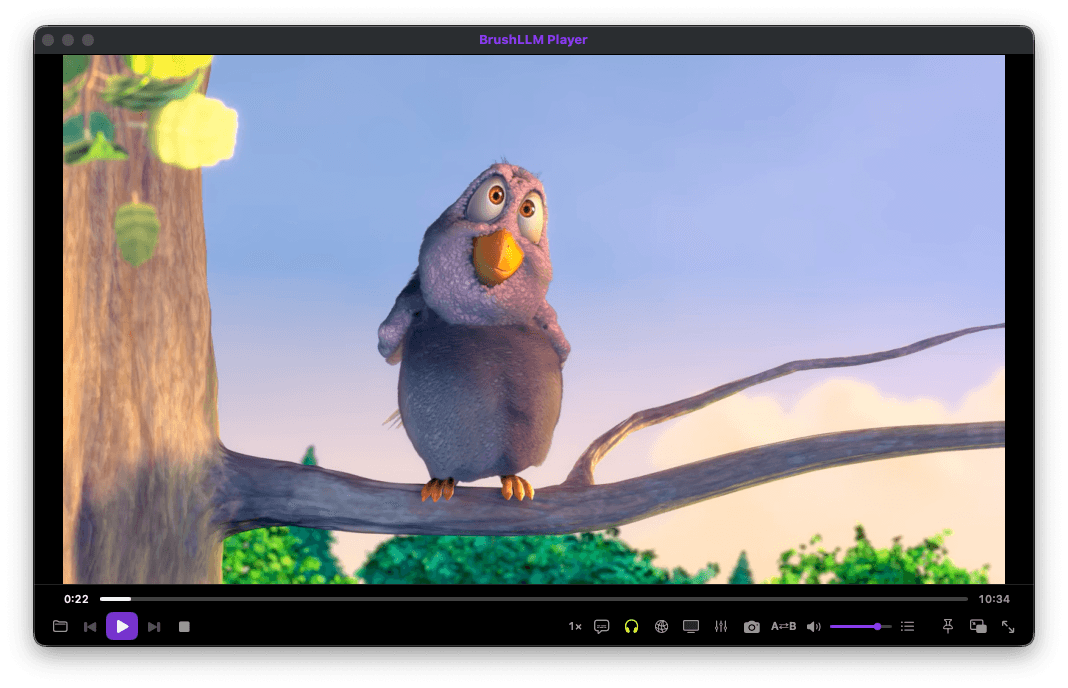
Available on macOS and Windows for local files and remote libraries. HDR and hardware decoding require compatible devices, displays and media formats.
Playback
Media formats
Play MKV, MP4, MOV, WebM, FLAC, MP3 and other formats supported by mpv.
HDR output
PQ and EDR passthrough on supported displays, with toggleable hardware decoding.
Disc images
Play ISO Blu-ray and DVD images directly.
Controls
A-B loop, playback speed, frame stepping, chapters and screenshots.
Playlist & history
Drag-to-reorder playlists, resume where you left off, bookmarks.
Mini window
A floating always-on-top mini player for multitasking.
Streaming
WebDAV & SMB
Connect to a NAS or storage using WebDAV or SMB to browse and play media.
FTP
A built-in FTP client with directory browsing and direct streaming.
Emby & Jellyfin
Connect your account to browse libraries and play using methods supported by the server.
HTTP & HLS
Play links and m3u8/HLS streams with adjustable read-ahead buffer.
Subtitles & tools
Auto-loaded subtitles
Load subtitles matching the media filename, or select an external subtitle file.
Live styling
Adjust subtitle font, size, color and position during playback.
Equalizer & recording
Audio equalizer, plus stream recording for archival.