
 Desktop app · Free
BrushLLM Video Studio —Video, audio and subtitle tools
Convert, compress, merge and trim video files. Extract audio, adjust loudness and repair subtitle encoding locally, without uploading media for processing.
- Video, audio and subtitles
- Local file processing
- 9 languages
- Works offline
macOS (Apple Silicon) · Windows 11 (x64 / ARM64)
BrushLLM Video Studio
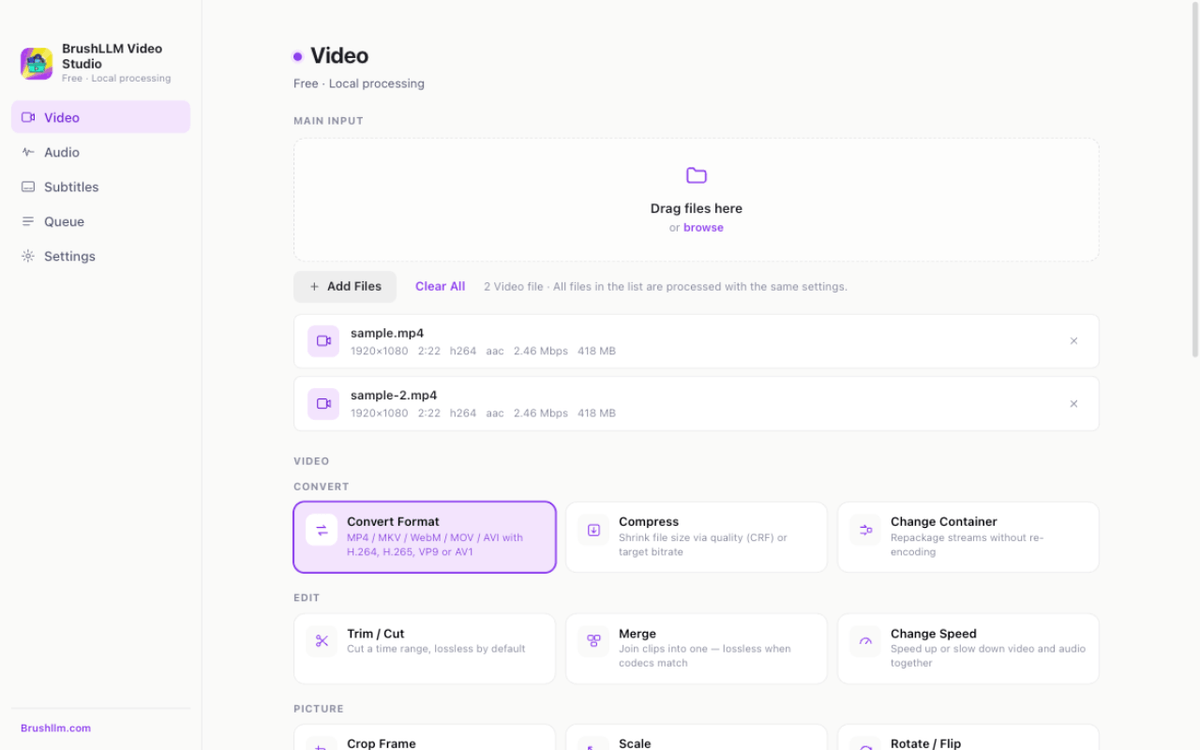
Video, audio and subtitle jobs run locally without uploading media. Queue tasks, pause them and resume later.
Video
Convert
MP4, MKV, WebM, MOV and AVI with H.264, H.265, VP9 or AV1 codecs.
Compress
Quality-based (CRF) or target-bitrate compression with live size estimates.
Merge & trim
Join clips in order or cut by selected start and end positions.
Crop, scale & rotate
Geometry fixes for wrongly-oriented or padded footage.
Speed change
0.25× to 4× playback speed with audio pitch correction.
Frames, GIFs & WebP
Extract still frames, or turn clips into animated GIF/WebP.
Audio
Extract & convert
Pull audio to MP3, M4A, FLAC, WAV, OGG or Opus.
Loudness normalization
EBU R128 normalization for consistent volume across files.
Volume & gain
Boost or attenuate without re-encoding the video where possible.
Mute or replace
Strip audio tracks, or swap in a new soundtrack.
Trim
Cut audio by selected start and end positions.
Subtitles
Embed or burn
Add a switchable subtitle track or render subtitles onto the video.
Convert formats
Convert SRT, VTT, ASS, SSA and TTML subtitles.
Fix encodings
Convert GBK, Big5 and other subtitle encodings to UTF-8.
Shift timing
Nudge subtitles earlier or later in bulk, synced to your video.
Extract
Extract existing subtitle tracks from supported media files.